APIS
Launch dev container
cd $HOME/repositories/oocular/ready/docs/holoscan
bash launch_dev_container.bash
v4l2_camera
-
On dev container
bash cd /workspace/volumes/ready/scripts/apis #cd /workspace/volumes/ready/src/ready/apis/holoscan/v4l2_camera/python bash v4l2_cam.bash -
On local device host
bash cd $HOME/repositories/oocular/ready/src/ready/apis/holoscan/v4l2_camera/python/ vim -O v4l2_camera.py v4l2_camera.yaml -
On the GitHub repository /src/ready/apis/holoscan/v4l2_camera/python
Bring Your Own Model
This example shows how to run inference with Holoscan and provides a mechanism, to replace the existing identity model with another model.
* Identity ONNX model at model/identity_model.onnx
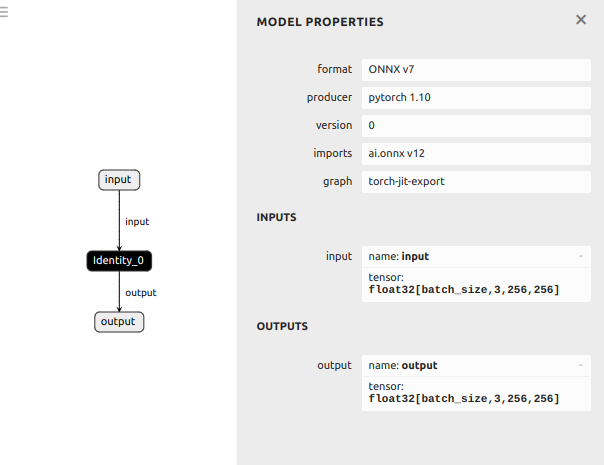
- Run app using your own repository in dev_container of clara-agx ``` cd /workspace/volumes/ready/src/ready/apis/holoscan/bring_your_own_model/python python byom.py -d /workspace/volumes/ready/data/openEDS -m identity_model.onnx -l logger.log
python byom.py -d /workspace/volumes/ready/data/openEDS -m model-5jul2024.onnx -l logger.log
python byom.py -d /workspace/volumes/ready/data/openEDS -m model-5jul2024-sim.onnx -l logger.log
```
- Debug application in local host device
cd $HOME/repositories/oocular/ready/src/ready/apis/holoscan/bring_your_own_model/python
vim -O byom.py byom.yaml ##Ctrl+WW to swap windows; :vertical resize 100
References
- Visit the SDK User Guide for step-by-step documentation of this example.
- https://github.com/nvidia-holoscan/holoscan-sdk/tree/main/examples/bring_your_own_model
- https://github.com/nvidia-holoscan/holohub/tree/e1453b36a652682865d6d9d807d565435ca4f16f/applications/ssd_detection_endoscopy_tools